
Last updated: August 11, 2026 · By Adrian Lefler
What You’ll Learn
- How to optimize images for dental SEO in nine repeatable steps, from file format to alt text.
- Which image format loads fastest and helps your practice photos rank in Google Images.
- How descriptive file names, alt text, and captions tell search engines what each image shows.
- How to use long-tail and local keywords so images pull in nearby patients.
- How to track image performance in Google Search Console and keep improving.
To optimize images for dental SEO, compress every image and serve it in WebP, give each file a descriptive, keyword-relevant name and alt text, size images to the dimensions they actually display at for faster load times, and use original practice photos over stock whenever you can. Done consistently, this helps your website’s images rank in Google Images, speeds up your pages, and supports your overall SEO for dentists. The nine best practices below walk through exactly how to do each step.
Why does image optimization matter for dental SEO?
Image optimization matters because search engines primarily read text, not pictures. Images do not inherently contain text that Google understands, so without help, a search engine cannot tell whether a photo shows a dental implant, a smiling patient, or your waiting room.
That is where metadata comes in. Metadata is the textual information attached to an image, such as its file name and alt text, that describes what the image shows, how it relates to the surrounding content, and which keywords it supports. When you add clear metadata, you help search engines understand and index your images, which improves how well your dental website ranks in search results. Optimized images also load faster, and page speed is a ranking factor tied to technical SEO for dental websites.
Follow the nine steps below and your images will support the keywords you are targeting, making it easier for potential patients to find your practice.
1. What is the best image format for a dental website?
WebP is the best all-around image format for a dental website because it delivers roughly 30% smaller file sizes than JPEG at the same quality, which means faster pages. The three common web formats each have a place:
- JPEG works well for photographs and images with many colors. It compresses to a smaller size with little visible quality loss.
- PNG is best for logos, icons, and images that need transparency. It uses lossless compression, so quality is preserved, but file sizes are larger and slower to load.
- WebP, developed by Google, combines the strengths of JPEG and PNG. It offers excellent compression and quality, which is why most dental marketing teams now default to it.
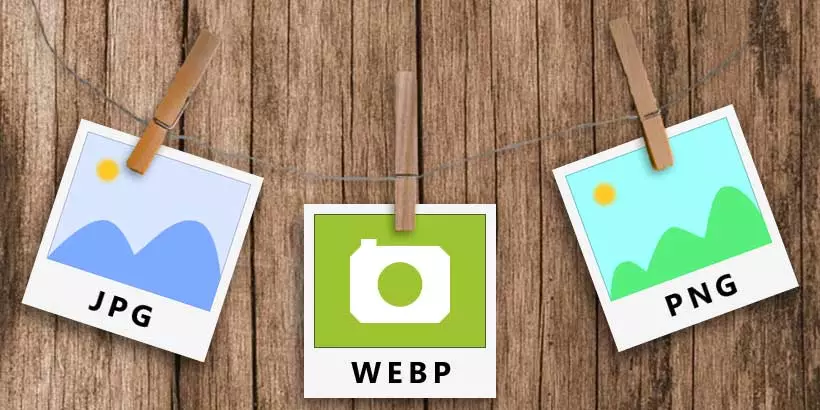
The one historical knock on WebP was browser support, but that is no longer a real concern. As of 2026, WebP is supported by roughly 97% of browsers globally, including every modern version of Chrome, Safari, Firefox, and Edge. We use WebP across all of our dental website designs and on our own site.
2. Does image compression help SEO?
Yes. Compressing images reduces file size, which speeds up page load, and faster pages improve both user experience and search rankings. Large, uncompressed images are one of the most common reasons a dental website feels slow.
If you already serve images in WebP, you may not need to compress much further. If you are using JPEG or PNG, compress before uploading. Free and paid tools such as TinyPNG, Squoosh, and Adobe Photoshop can shrink file sizes without a noticeable drop in quality.
Aim for balance. Compress enough to load quickly, but not so much that images look pixelated. Page speed is a core piece of technical SEO for dental websites, so getting image weight under control pays off across your whole site.

3. Should you use stock photos or your own practice photos?
Use your own practice photos whenever you can. High-quality, authentic images build trust with potential patients and set your site apart, while blurry or generic images can hurt both user experience and rankings.
Stock photos are quick and affordable, and AI image tools now make custom-looking visuals easy to generate. As of 2026, the leading options include DALL·E 3 (through ChatGPT), Midjourney, Adobe Firefly, Google Imagen, and Flux. Adobe Firefly is worth noting for commercial use because it is trained on licensed and public-domain content, which reduces copyright risk. These tools are a fast, low-cost way to fill gaps.
The downside of stock and generic AI imagery is that it lacks the personal touch, and the same stock photo can appear on dozens of competing dental sites. Original photos of your team, office, and real (consented) patient results feel authentic and are unique to you, which is exactly what strong dental website content needs.
You no longer need to shut the office down for a photo shoot. Modern smartphone cameras capture high-quality photos and video, so you can document candid, authentic moments on your own schedule and at almost no cost.

4. How should you name your image files for SEO?
Name each image file with a short, descriptive, keyword-relevant phrase before you upload it, and use hyphens between words. Instead of a generic name like “IMG_1234.jpg,” use something like “dental-implants-before-after.webp” that reflects both the image and the keyword of the page it lives on.
Descriptive file names help search engines associate your image with related search queries, which improves your chances of ranking in image and web results.
A few naming rules to follow:
- Use hyphens to separate words, for example “happy-dental-implant-patient.”
- Avoid underscores, which are read as joiners rather than separators in many systems.
- Skip vertical bars and slashes in file names. Slashes are reserved for URL structure, and vertical bars change how Google groups the words.

5. How do you write good alt text for dental images?
Write alt text as a short, natural sentence that accurately describes the image and includes a relevant keyword when it fits, without stuffing keywords. Alt text is the description shown when an image fails to load and read aloud by screen readers, and search engines use it to understand what the image shows.
Here is the difference:
- Bad: “Dentist dentist dental implant teeth tooth smile miami FL”
- Good: “Dentist with a successful dental implant patient”
The good example reads like a real description, supports the page’s keyword, and stays accessible for visually impaired visitors. Keyword stuffing, like the bad example, can trigger search engine penalties and makes the experience worse for people using screen readers.
6. How do you use long-tail keywords in dental images?
Use long-tail keywords, which are longer and more specific search phrases, in your image file names, alt text, and captions to reach patients searching for a particular service or location. Long-tail terms have less competition and higher intent, so they often convert better.
For example, instead of a broad term like “pediatric dentist,” target something like “best pediatric dentist in [city]” or “gentle kids dentist near me.” Local, service-specific phrases like these also reinforce the work you do to rank on Google Maps for dentists, where nearby patients are actively looking for care.

7. How do you avoid duplicate image content?
Give every image on your site a unique file name, alt text, and caption so search engines can index each one clearly. Duplicate content, whether text or images, makes it harder for search engines to decide which version to show, which can dilute your rankings.
Reusing the same image with the same metadata across multiple pages sends a mixed signal. Unique metadata on each image helps search engines index your visuals efficiently and keeps them relevant to the specific page they support.

8. Do image captions help SEO?
Captions help by adding context that both readers and search engines use to understand an image. Captions sit directly below an image, are among the most-read text on a page, and can naturally include a relevant keyword.
Keep captions short, accurate, and grammatically clean, since visitors will actually read them. A well-written caption reinforces the topic of the surrounding content and gives search engines one more clear signal about what the image shows. Captions are an easy win that supports the rest of your dental website content.
9. How do you monitor image SEO performance?
Track image performance in Google Search Console and Google Analytics, watching metrics like impressions, clicks, and click-through rate, then use what you learn to keep improving. In Search Console, filter to the “Image” search type to see which images earn impressions and clicks.
This data shows which visuals drive traffic and where you have room to improve file names, alt text, or compression. Image SEO is not a one-time task. Like the rest of dental SEO, results build over time, so plan to review and refine regularly.

Why image optimization matters more in the age of AI search
Optimizing images is a core part of building a strong online presence for your dental practice. Follow the nine steps above and you will improve your rankings, load pages faster, and give potential patients a better first impression.
Image SEO also supports visibility in a search landscape that keeps changing. With zero-click searches now common, showing up in Google Images and rich results is one more way to stay visible when users never leave the results page. And because images work alongside your written content and external links for dentists, treating them as a real ranking factor, rather than an afterthought, strengthens your entire dental SEO strategy.
Frequently Asked Questions
What image dimensions should I use on a dental website?
Size images to the largest dimensions they will actually display at, then let the site serve responsive versions. Uploading a 4000-pixel photo into a 800-pixel slot forces browsers to download far more data than needed. Resize before uploading so files stay light and pages load quickly.
How many images should a dental web page have?
Use enough to support the content without slowing the page down. A service page usually needs a few relevant, optimized images rather than a heavy gallery. Every image adds weight, so favor quality and relevance over volume, and compress each one so the total page size stays lean.
Do images affect Core Web Vitals and page speed?
Yes, significantly. Large or unsized images are a leading cause of slow load times and poor Largest Contentful Paint scores, which Google uses as ranking signals. Compressing images, serving WebP, and setting width and height attributes all improve Core Web Vitals and the patient’s experience.
Is it okay to use AI-generated images on my dental website?
Yes, though use them thoughtfully. AI images are fine for concepts and illustrations, but real photos of your team and office build more trust and are unique to you. For commercial safety, tools trained on licensed content, like Adobe Firefly, reduce copyright risk compared with other generators.
How do I get my dental practice photos to show up in Google Images?
Give each image a descriptive file name, natural alt text, and a unique caption, serve it as a fast-loading WebP, and place it near relevant on-page text. These signals help Google understand and index the image, which qualifies it to appear in Google Images searches for related dental terms.
How often should I update the images on my dental website?
Refresh images whenever your team, office, or services change, and review them at least once a year. Outdated photos can misrepresent your practice, and replacing generic stock with current, authentic images improves trust. Re-optimize file names, alt text, and compression each time you swap an image.

Adrian Lefler is the CEO and Co-Founder of My Social Practice and a recognized dental marketing expert with nearly two decades of experience. He is a trusted voice in dental marketing, AI in dentistry, and emerging technology, and he hosts BYTE SIZED, a podcast focused on dental AI, innovation, and technology.